How can I convert HEIC files to JPGs on my Windows computer?
The Unlimited HEIC Converter is a simple, free batch conversion will convert HEIC files to JPGs on a Windows computer.
FREE DOWNLOAD HERE:
https://apps.microsoft.com/detail/9n3vrn5l9dns?hl=en-US&gl=US
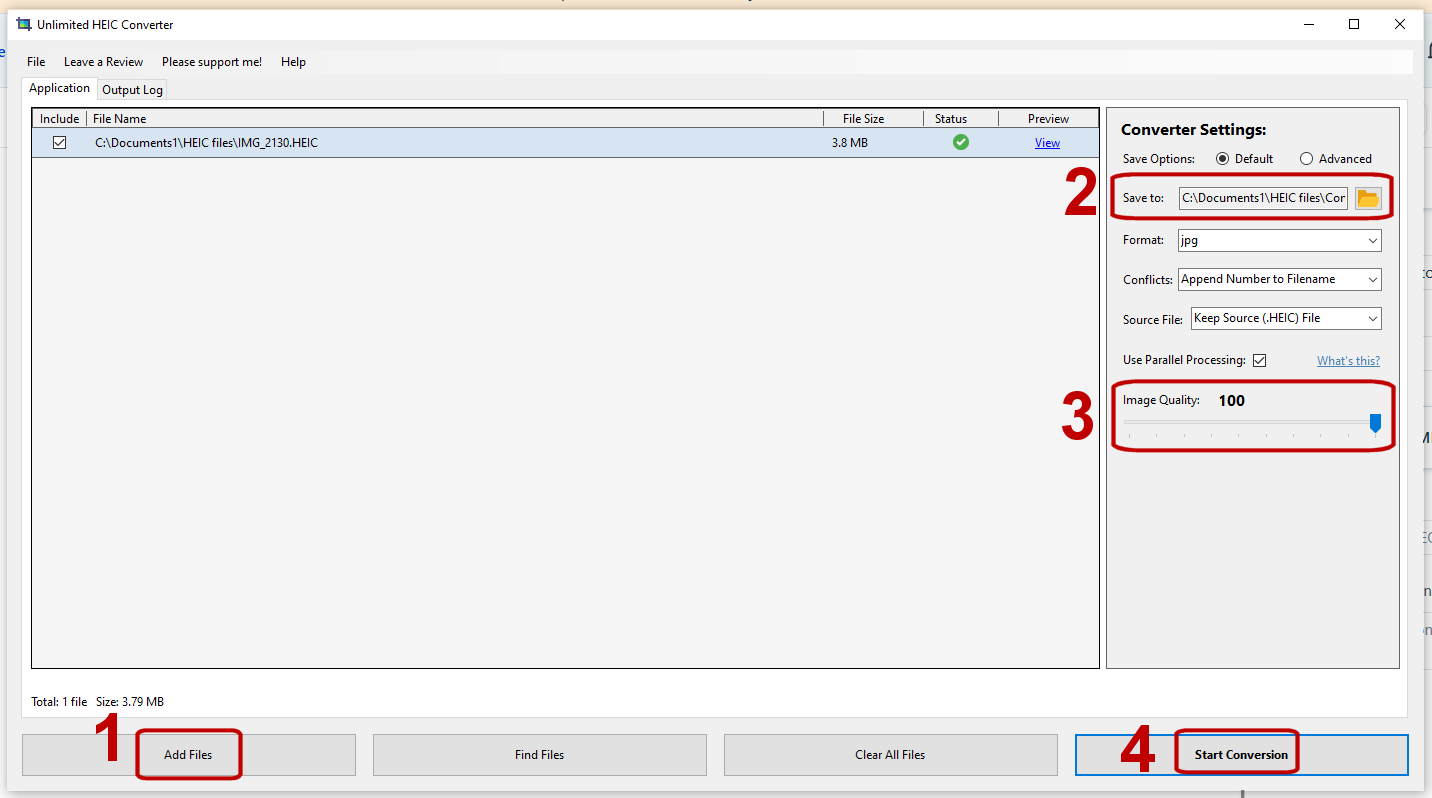
1. Add your HEIC files
2. Tell the program where you want to save your JPGs.
3. Set the Image Quality.
4. Start the conversion.
About Us
dotPhoto Pro
Account Info
Products