How to find and add photos for download to your Lightbox
4 of 5
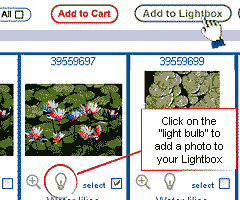
Once you find a photo you may wish to purchase, check its "select" box (bottom right of photo) and click the "Add to Lightbox" button. You can check as many photos as you like and add them all at once to your Lightbox with one click of this button. You can also add photos one-at-a-time by clicking the "light bulb" icon under the thumbnail image. (The "light bulb" lets you know that a photo is available for download.)
alert
This is the help section
Sign up & Save
Receive our reader reward every week plus tips and news when you sign up for our newsletter.